
Follow this step-by-step guide to choose what ebay account (if any) will be used to list books
- Click the gear icon in the top right corner of Lister to navigate to settings
- Click eBay in the right column under Channels
- Click the Product Segmentation dropdown box next to the account you want to list books to and select “Books and media”
- Click “Yes” in the pop-up box
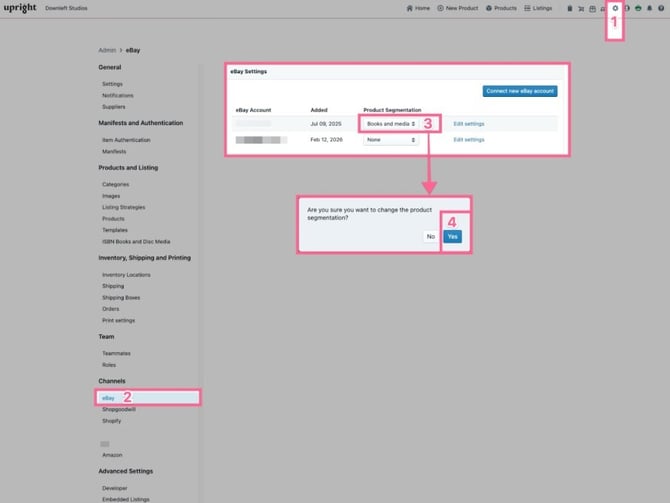
Note: If you don’t want to list books on eBay, ensure all eBay account product segmentation dropdowns say “None”